
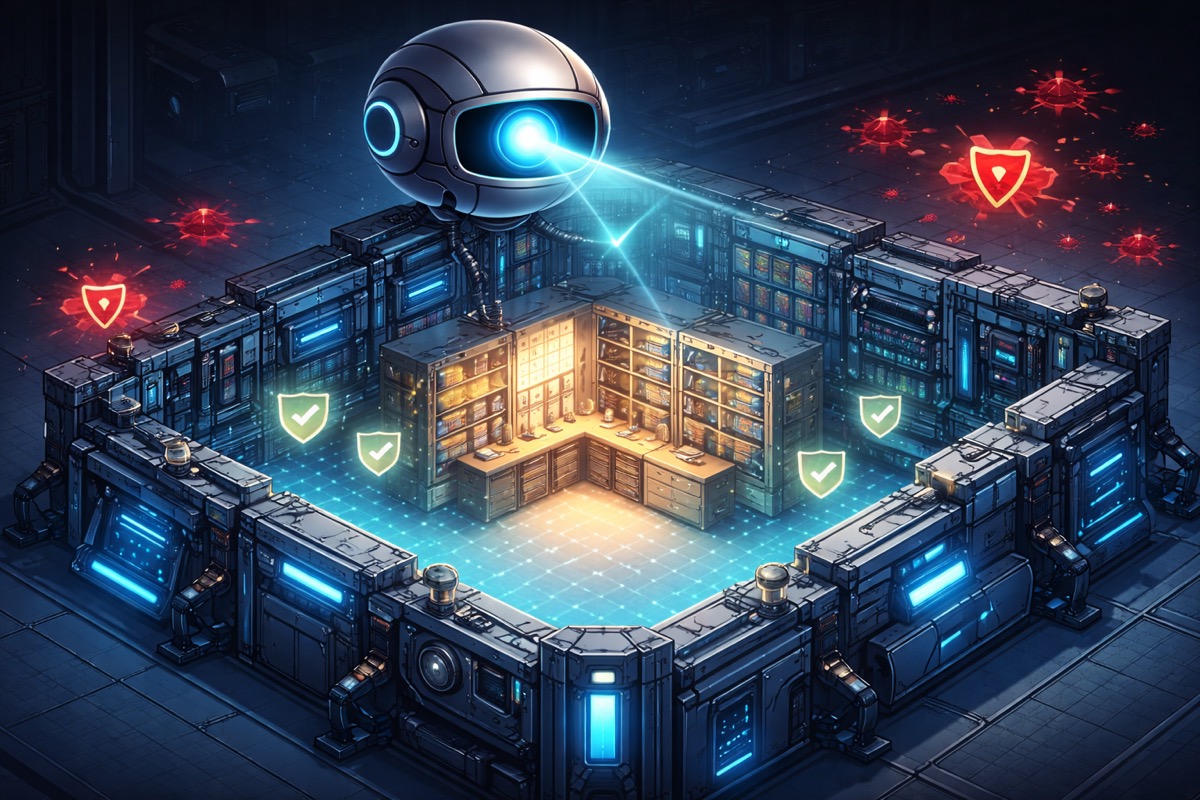
Building the Safety Net
Through five posts, we've been reorganizing, splitting, consolidating, and upgrading Manuscript Alert. After each change, DK sat down and ran through his daily workflow. Search for Alzheimer's and neuroimaging papers. Adjust keyword weights. Load a saved preset. Export results to a spreadsheet. Everything still working? Good, move on.
DK is the kind of power user every developer wants. He knows every corner of the app, uses it daily for real research, and his regular workflow naturally covers the overall experience. Two birds with one stone — real research gets done and the app gets validated at the same time. But even an active user like DK tends to follow familiar paths. Edge cases, rarely used features, subtle regressions in scoring logic — those are hard to catch through daily use alone. We needed an extra guardrail.
When Expertise Lives in One Person's Head
Imagine a workshop where the master craftsman inspects every piece by hand. He knows the weight, the finish, the sound a good piece makes when you tap it. He catches flaws that would slip past anyone else. The shop's quality is impeccable — as long as the master is standing at the bench.
But what happens when the workshop grows? When new products start coming in and pieces need to be checked faster than one person can manage? When work continues while the master steps away?
That's where we stood. DK had been our quality inspector through every structural change in the series. But we were about to start building new features — a redesigned interface, cloud deployment, AI-powered search. The changes would come faster and touch more parts of the app at once. We needed the master's knowledge written down, turned into checks that could run automatically, every time someone touched the code.
Turning Intuition into a Checklist
I went through every feature DK uses and wrote it down as a check.
The basics came first. Is the server running? Can DK load his research preferences? Can he save changes and see them stick? Three checks for the settings alone, covering the normal case, a modification, and the edge case where you save something empty.
Then the core workflow. When DK searches for papers, the app reaches out to multiple research databases, scores what comes back, filters out the noise, and presents what's left. Seven checks for this pipeline — from "what happens when no database is selected" to "does a paper about amyloid PET imaging actually rank higher than an unrelated cardiology study?"
The saved search configurations, which DK uses to switch between different research questions, got nine checks. Create one, preview it, load it, rename it, delete it, try an invalid one. The full lifecycle of how a researcher organizes their work.
Backups — DK's ability to snapshot his settings and restore them if something goes wrong — got six checks. The safety net within the safety net.
But the most thorough checks went to what makes Manuscript Alert actually useful for research.
The keyword matcher is the engine that decides how relevant a paper is to DK's work. Eight checks: Does "Alzheimer's PET imaging" score higher than "quantum computing"? Do keywords in a paper's title carry more weight than the same words buried deep in the abstract? If DK marks certain terms as high priority, does the ranking shift? What happens when the keyword list is blank?
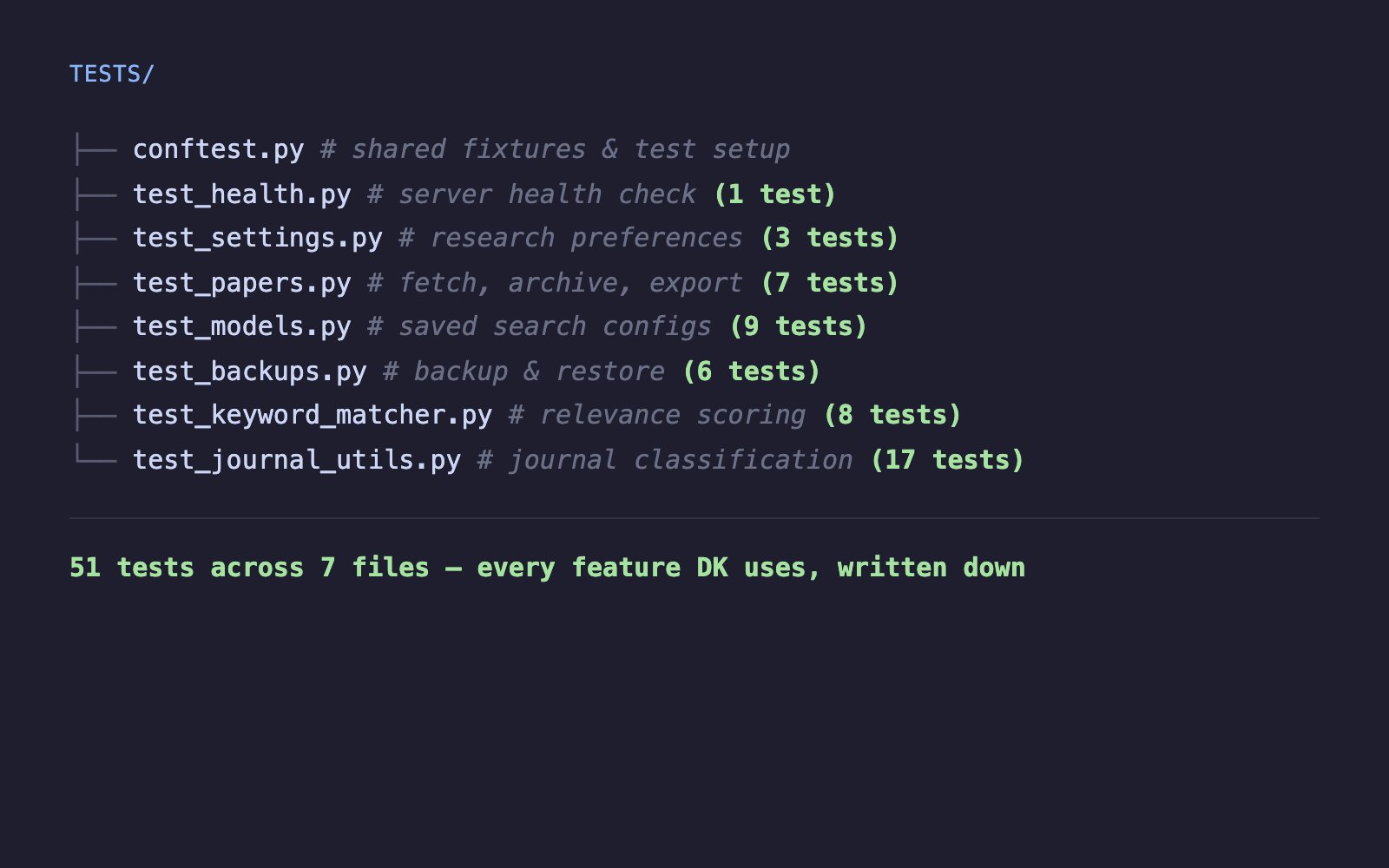
The journal recognition — knowing that Nature Medicine is a top journal while an obscure publication isn't — got seventeen checks. The most of any feature. Matching had to be case-insensitive. Categories had to be classified correctly. Edge cases like missing or empty journal names couldn't crash anything. When you're scoring thousands of papers, the scoring system has to be airtight.
Every endpoint covered. Every scoring path tested. Every workflow DK relies on, written down as a check the app has to pass.
A Workshop That Doesn't Touch the Outside World
There's a practical problem with testing a tool that fetches papers from PubMed, arXiv, and bioRxiv: those are real databases, updated daily. You can't control what they return tomorrow. You can't run checks on an airplane. And you don't want your safety net pinging external services every time you change a line of code.
So the checks build their own controlled workshop. When a test needs to verify paper fetching, it brings its own papers — known titles, known keywords, known journals — and confirms the app handles them correctly. When a test needs settings files or backup folders, it sets up temporary ones that vanish the moment the check finishes.
The real services continue working exactly as before. The tests just don't depend on them. This means the checks run fast, run anywhere, and produce the same result every time. No internet required. No external surprises.
What Full Coverage Feels Like
DK's manual walkthrough takes about fifteen minutes. He checks the features he uses most and trusts his experience to catch problems. The automated checks run in seconds and cover everything simultaneously — every endpoint, every edge case, every scoring rule.
More importantly, they catch things a daily user wouldn't notice. A keyword matching edge case where blank input causes a crash. A backup restore that works but silently drops a setting. An API response that returns the right data with the wrong status code. These are the kinds of issues that wouldn't show up in DK's regular workflow but would surface at the worst possible moment — during a demo, or right before a deadline.
Before this, every change to the app felt like rearranging a workshop while someone was working in it. After, it felt like having an inspector who checks every tool, every shelf, every connection before anyone walks through the door.
Why Now, Not Earlier
We could have written these checks at the start of the migration. But they need a stable foundation. When we were moving things between folders, splitting files apart, and reorganizing the package structure, the code was changing shape too quickly. Writing checks for a structure that would look different next week would have meant rewriting those checks the following week.
Now the backend had its final shape. The folders were settled. The modules were divided. The architecture was clean. This was the right moment to lock it all in place and say: from here on out, if something breaks, we'll know immediately.
What's Next
Having tests is reassuring. Running them only when you remember to is not. Next, we'll build the pipeline that runs every check automatically — on every push, on every pull request, no exceptions.
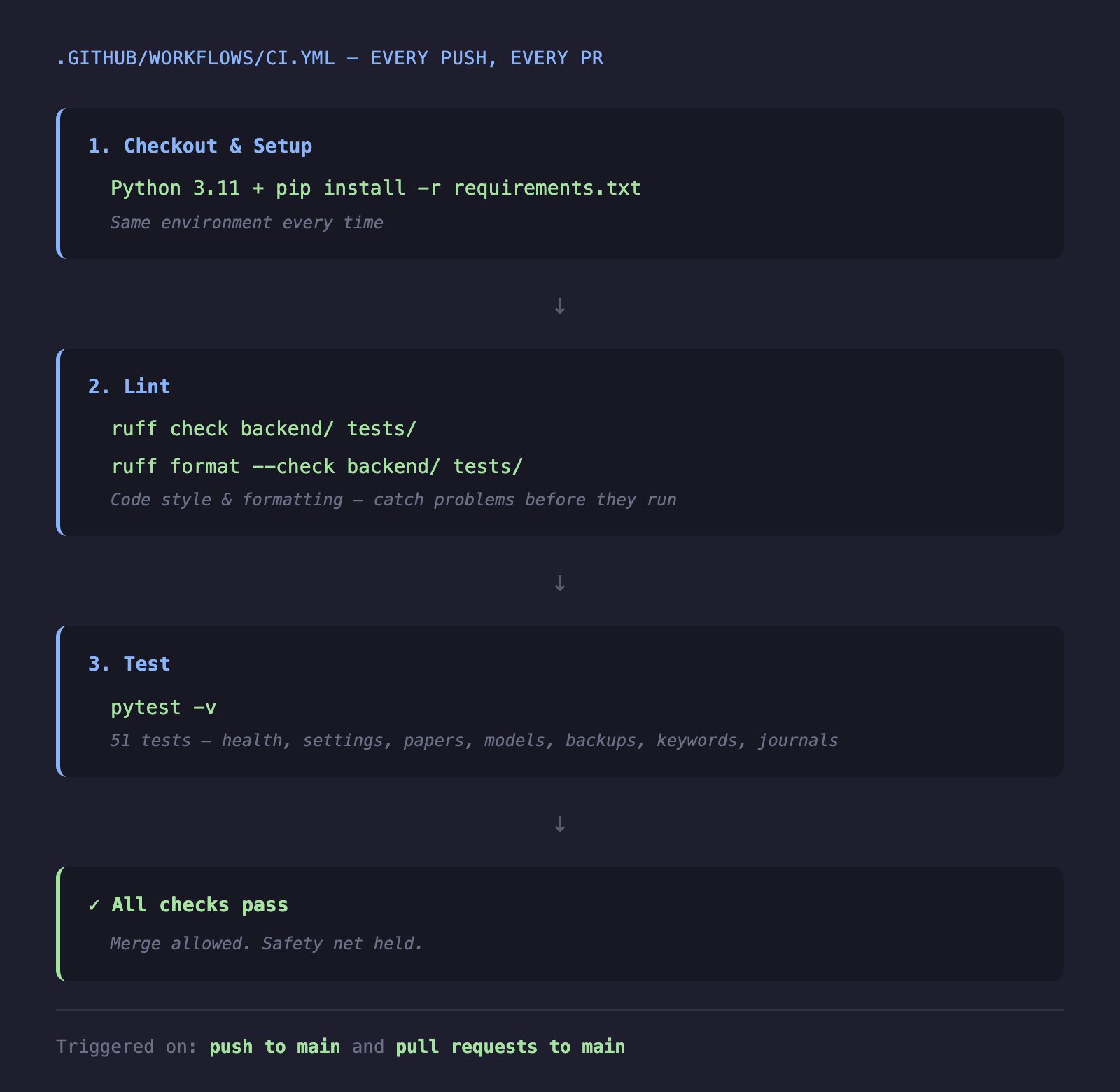
That's the difference between having a safety net and knowing the net is always there. The next post is about making sure it never comes down.