
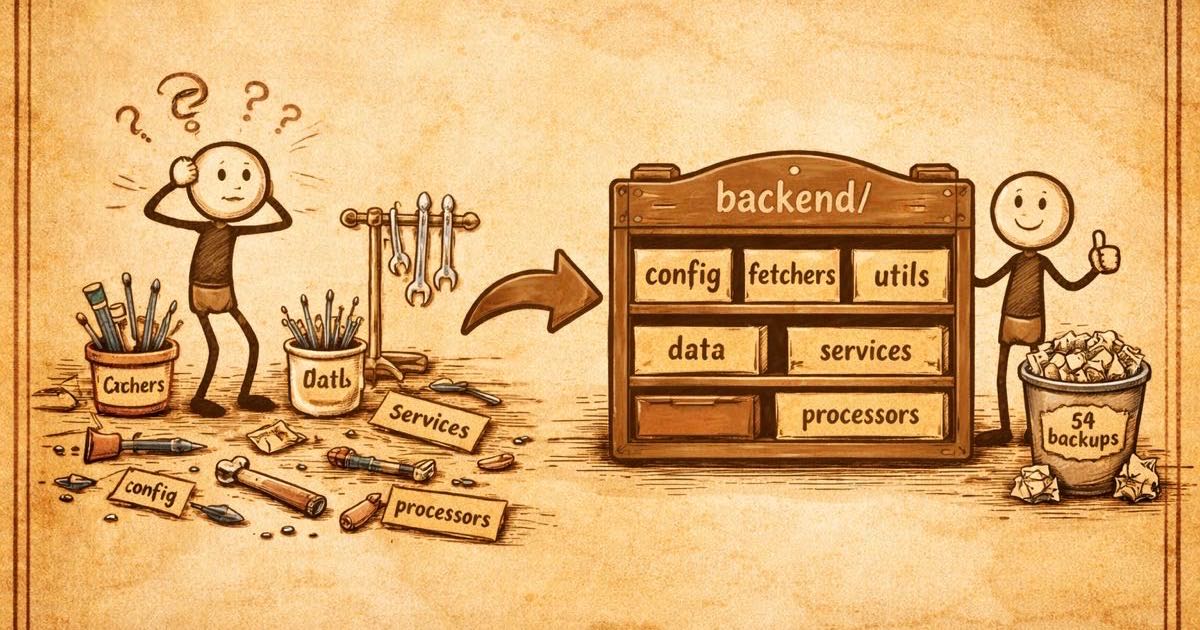
Organizing the Workshop
In the last post, I drew up the blueprint. Seven phases from safety inspections to a smart sous-chef. Now it was time to pick up real tools.
Picture a workshop where every tool, every supply, and every in-progress project sits on the same bench. Drill next to the paintbrushes. Sandpaper mixed in with electrical tape. You know where everything is because you put it there, but anyone walking in for the first time would freeze in the doorway. Where do I even start?
That was our project.
Two Trades, One Bench
DK had already set up a dedicated corner for the frontend work during an earlier pass at modernizing the app. But the backend (six different groups of tools and materials) was still spread across the main bench, mixed in with documentation, scripts, and DK's frontend corner. If you opened the workshop for the first time, nothing told you which tools belonged to which trade.
With the frontend already in its own space, the natural next step was giving the backend the same treatment. One side of the workshop for the kitchen equipment, one side for the dining room. Clear lanes, no tripping over each other.
Everything Gets Its Own Side
I set up a dedicated section and moved every piece of backend equipment into it. The internal arrangement stayed the same. I wasn't reorganizing drawers, just moving them to the right side of the room.
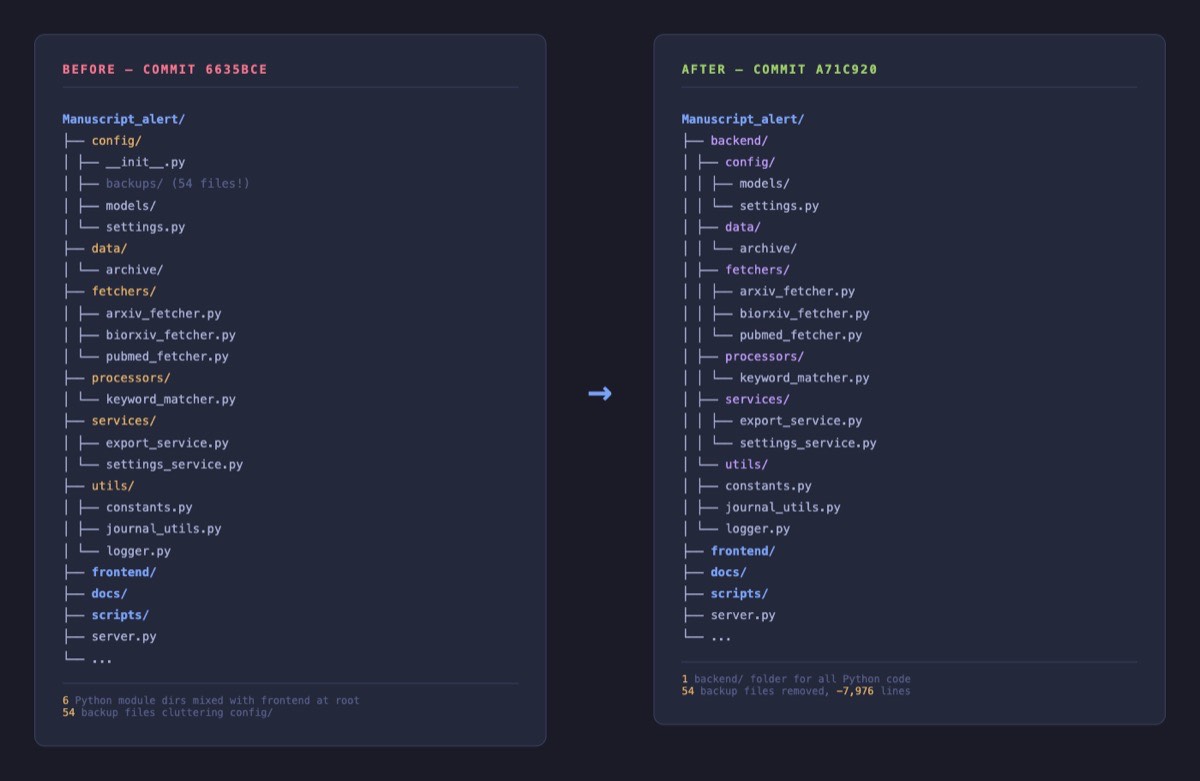
The main bench went from fifteen items down to ten. More importantly, you could now walk in and immediately understand the layout. Everything on this side builds the kitchen. Everything on that side builds the dining room. Orient yourself at a glance.
While I was at it, I cleared out 54 old backup files that had been accumulating since October. Leftover snapshots from debugging sessions, still sitting around like forgotten coffee cups on a workbench. That housekeeping accounts for most of the commit's size.
Relabeling the Connections
Moving equipment to a new bench means the power cords need to reach their new outlets. Six connections in the main server needed updating to point to the new location, plus two references to where data gets stored. A few minutes of careful work to make sure everything plugged in correctly.
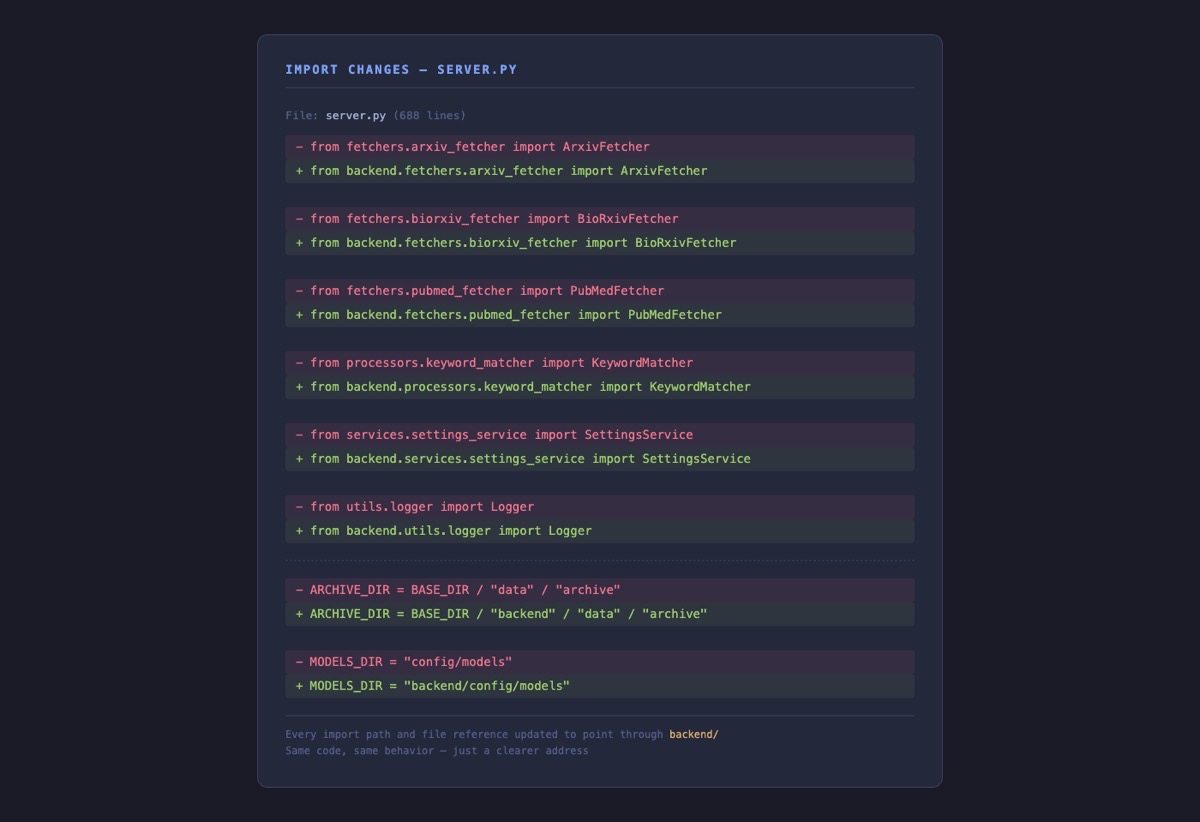
Since we didn't have automated safety inspections yet (those come in a later phase), I split this work across multiple days and asked DK to test throughout. He ran through his full routine after each change: searched for Alzheimer's and neuroimaging papers across all four databases, loaded his saved search configuration, adjusted keyword weights, checked that his model presets were intact, and verified his backups. Having the person who uses the tool every day confirm that his research workflow still works was our safety net during these structural changes.
A Workshop That Makes Sense
Nothing changed for the person placing orders. DK's paper searches returned the same results. His settings loaded the same way. The tool did exactly what it did before.
But the workshop now matched what the project actually is: two distinct trades working under one roof, each with their own clearly marked space. And it made the next step possible. That 688-item main counter I mentioned in the last post, the one handling every order in a single line, is much easier to break apart when the equipment it depends on is already organized on the right bench.
That reorganization is the subject of the next post.